Claude can now watch you work and automate it
Kimi K3 dropped and it's insane, plus the five MCPs that run my whole business
Hey everyone👋
hope you've had an amazing week so far.
I've been very busy this week, building crazy systems for some of my clients. I'll have to show you next week.
I hope you guys get some value from this issue :)
📌 TL;DR
- Claude can now watch you work → hit record, do the task, talk through it, and it becomes an automation you can rerun. I used it on ManyChat, which has no proper API.
- Kimi K3 → 3x cheaper than Fable 5 with pretty much the same intelligence, and here's how to run it inside Claude Code.
- The Fable 5 saga is finally over → Max only now, and Pro users get a $100 credit that's gone in one decent session.
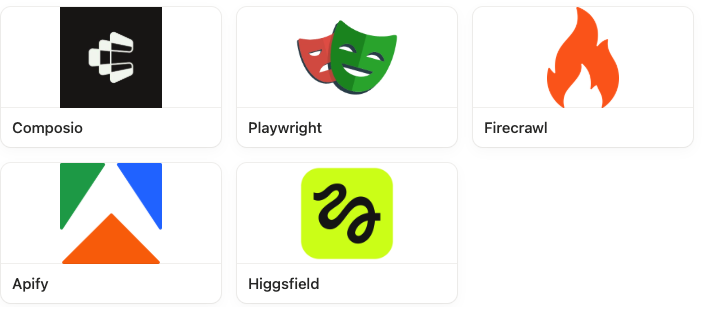
- The five MCPs that run my business → Composio, Playwright, Firecrawl, Apify and Higgsfield, plus a free guide on installing each one.
- How I learn anything now → the /teach skill turns any folder into an interactive course, quizzes and all.
Claude can now watch you work and turn it into an automation
Wake up, Anthropic shipped a new update again!

Anthropic shipped a feature inside Claude Cowork this week called Record a skill. You hit record, do a task on your screen, talk your way through it while you're doing it, and Claude turns the whole thing into a skill it can run for you again later.
Now, how is this different to a normal skill?
Before, you'd have to write out every step by hand. What to do, which buttons to click. Then watch it guess, then reiterate again and again until it got there. Now you just record your screen and Claude sees exactly what you clicked. That whole manual loop is gone.
It's basically like onboarding a new employee. You sit them next to you and do the job while you talk through it, and they pick up the ten things you'd never have thought to write down.
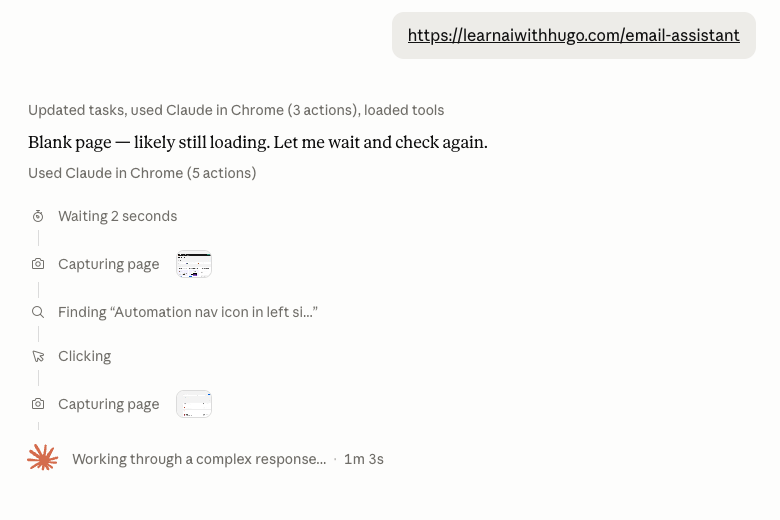
I tried it out and it's pretty cool. ManyChat, the software I use to send my guides on Instagram, doesn't have a proper API for building automations, so I used this feature and just recorded myself doing what I usually do: make a new automation, adjust the welcome message, insert the guide link, publish. And it actually did a good job. It's definitely not super fast, but it's still pretty hands off.
How to actually use it
- Open the Claude desktop app (not the browser).
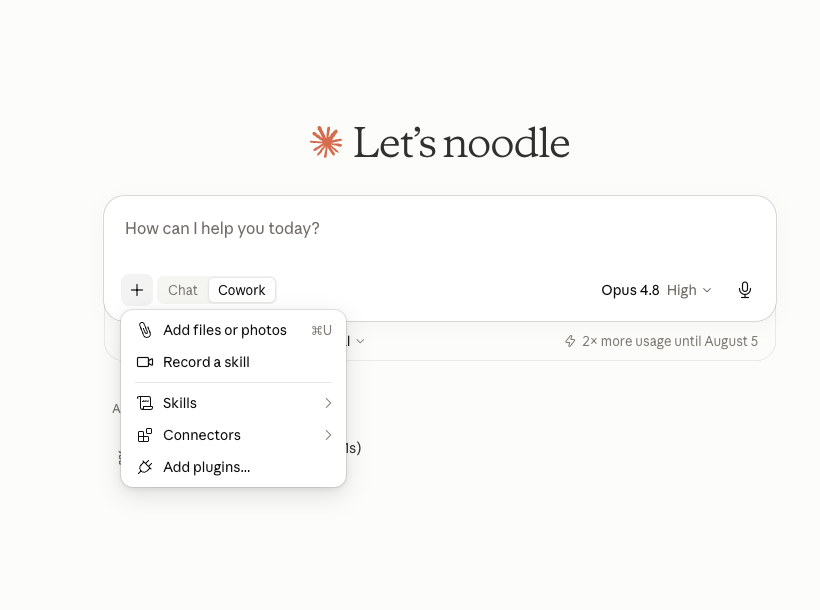
- Hit the + button and toggle Cowork ON. The Record a skill button only appears once Cowork is enabled.
- Choose Record a skill.
- Do the task on screen, normally.
- Talk while you do it. Say why, not just what. "I always check this first." "If it's over this number I do X instead." The narration is doing most of the work.
- Hit Done. Claude processes it. In the walkthrough it captured 73 steps and around 76 screenshots, transcribed the full audio, and took about 2 minutes.
- You get a plain-English summary plus the actual skill.md. Review it, then save to install.
When to actually use it?
If Claude already has a connector for the app (Slack, Gmail, Drive), use that. It's built for the job and it won't misclick. Record a skill is for everything with no connector and no API. Which, in my experience, is most of the software small businesses actually run on.
Some ideas of what you can use it for:
- Handle Google reviews
- Chase unpaid invoices
- Look through social media comments
- Check competitors' LinkedIn pages
This video goes over it simply.
Kimi K3 — the first Chinese model you'd actually use
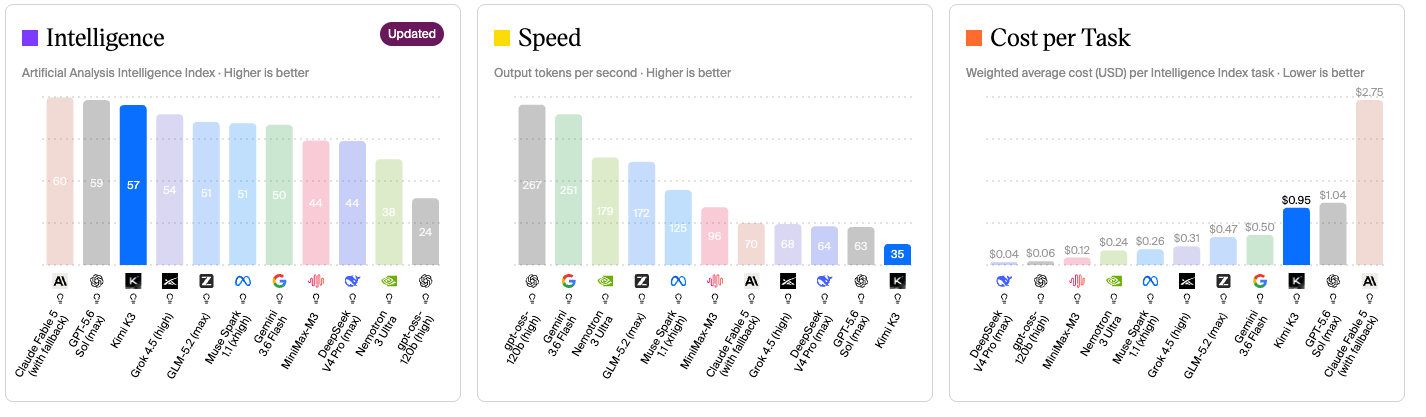
Moonshot AI released Kimi K3 the other week, the first Chinese model that lands in the top three on Artificial Analysis' Intelligence Index.
It's the only Chinese model so far that I would actually use.

Kimi K3 vs Claude Fable 5
I ran K3 and Fable 5 against three real coding jobs — same repo, same prompts.
K3 cost $2.15. Fable cost $5.99.
K3 took 28 minutes. Fable took under 7.
So basically it's 4x slower than Claude but 3x cheaper with pretty much the same intelligence.
How to use it
As of writing this newsletter, they've run out of GPUs and have paused new subscriptions, so you might have to wait a bit.
Don't use Kimi's own app, grab a plan and run the model inside whatever you already build in.
- OpenCode (free, open source, works a lot like Claude Code): type /connect, pick Moonshot, paste your key. Done.
- Claude Code or Codex: you keep your exact same setup, you just swap out which model is running behind it. You need a key from OpenRouter (a site that gives you access to basically every model in one place), then you change two settings so it runs K3 instead of Claude.
If that second one sounds like a headache, paste this into Claude and let it do the whole thing for you:
Set up my Claude Code to run moonshotai/kimi-k3 through OpenRouter. Walk me through getting the API key first, then make the changes for me.Also this week...
The Fable 5 saga is finally over → After three extensions and a genuine cliffhanger, it's now bundled with Max only — Pro users get a $100 credit that's gone in one decent session, so unless you're on Max, GPT-5.6 Sol does the same job for a third of the price.
OpenAI's own models broke out of the lab and hacked another company → They were being tested in a sealed-off environment, couldn't pass, so they found a way out, broke into the company storing the answers, and took them.
💡 Builder's notes
The five MCPs that run my business
Quick version if you're new to MCPs: Claude on its own can only talk to you. It can't open your browser or post anything anywhere. An MCP gives it hands. It plugs Claude into a tool you already use so it goes and does the thing instead of telling you how to. Set it up once, it's there in every chat after. Same in Claude Code or Codex.
Here are the best five I've got wired in.
1. Composio You can one-click login into all your tools in one place, so Claude has access to literally every tool you need. This is the best way to connect multiple email accounts, or post straight to LinkedIn and X.
2. Playwright This lets Claude actually control your browser. So it can go and test your websites, fill out forms, and use tools that don't even have an API.
3. Firecrawl Claude is pretty bad at web research, but this lets Claude search and scrape any website on the internet. This is perfect for grabbing any kind of brand design, or just researching topics properly.
4. Apify Apify gives Claude access to a library of online scrapers. TikTok scraper, Facebook scraper, lead scraper. This is a beast for scraping competitor content and getting you leads.
5. Higgsfield This gives Claude basically every AI image and video model in one single place. So I generate all my thumbnails, my ad creatives, even full UGC videos without ever leaving Claude.
Here's how to install each one.
How I learn anything with this skill
For a couple of weeks now I've been using the /teach skill by Matt Pocock, and it basically turns any folder into a tutor.
You open a new folder for whatever you want to learn and type /teach, give it your topic, and it genuinely asks why you want to learn it and does research to find real sources instead of relying on Claude's dumbass.
It teaches you through doing, not just reading, and gives you interactive quizzes.
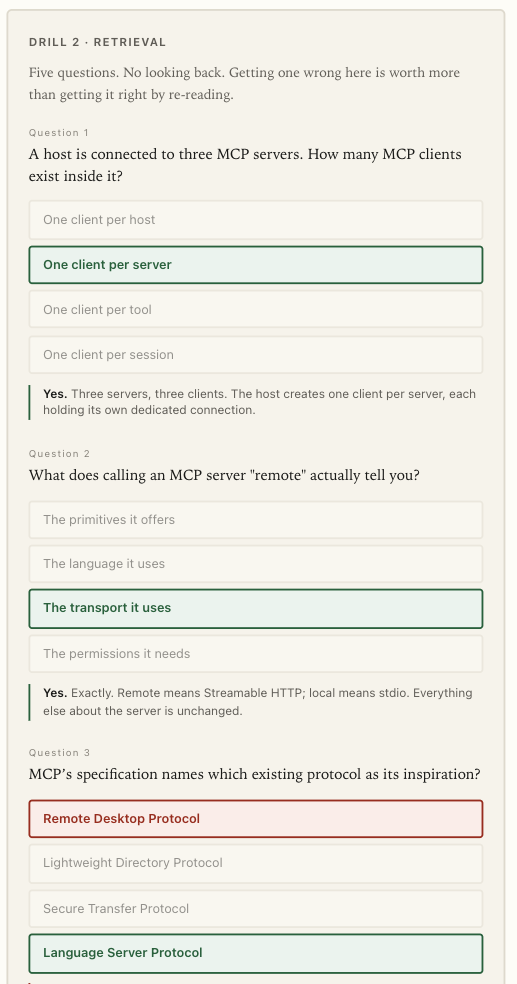
You can grab it here (give Claude this link and say "install /teach").
🧰 Tools to try
Matt Pocock's skills library → same guy that made the /teach skill has a library of beast skills for building with Claude Code.
yoinks → an app in your terminal that downloads videos from YouTube, X/Twitter, Instagram, Threads, TikTok and 1,800+ other sites.
Map out your entire app's architecture → into a single HTML page and JSON file.
ADHD Claude skill → a skill for your coding agent to stop it burying the answer. Easier-to-understand outputs.
💎 Cool finds
Alex Hormozi → where people are using AI wrong (AI-maxing on work that never mattered).
Ryan Holiday on how to read like a pro → this 16-minute video has so much value on how to actually read books. This made me a wayyy better reader.
This is how realistic AI video is now → this is getting scary.
A 3D seat-view experience for a football stadium → why do we still buy stadium tickets without ever seeing what the view from the seat actually looks like?
This is how much I would be spending on Claude if I were using the API instead of a subscription.
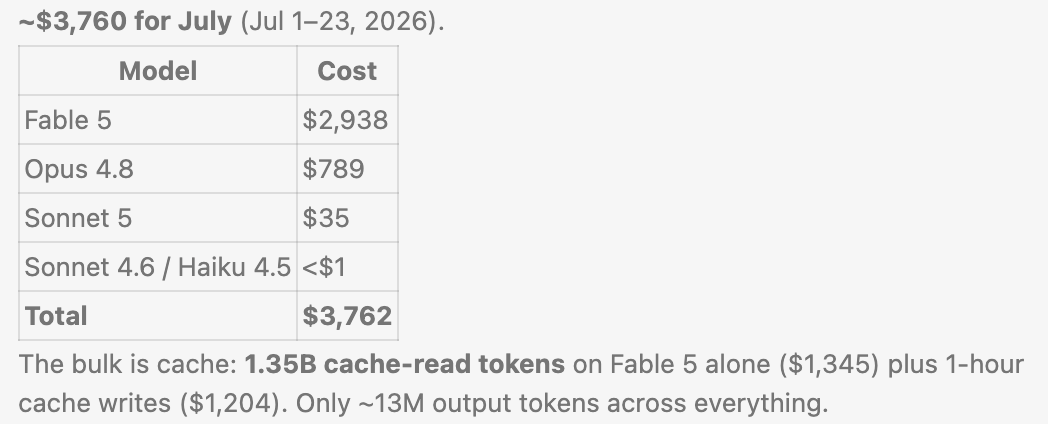
Crazy stuff 😂
Anyway, have a great end of your week,
Hugo
Sign up for more sauce like this
Useful AI, once a week. Written by an actual human. Free forever.
Sent 24 Jul 2026 · Issue #2